AI Operating System for Professional Services
Run your entire firm from one intelligent operating system.
Connect clients, sales, contracts, projects, finance and people into one continuous operating flow, with AI that understands how your firm actually works.
Built for consulting, agencies and professional services firms.
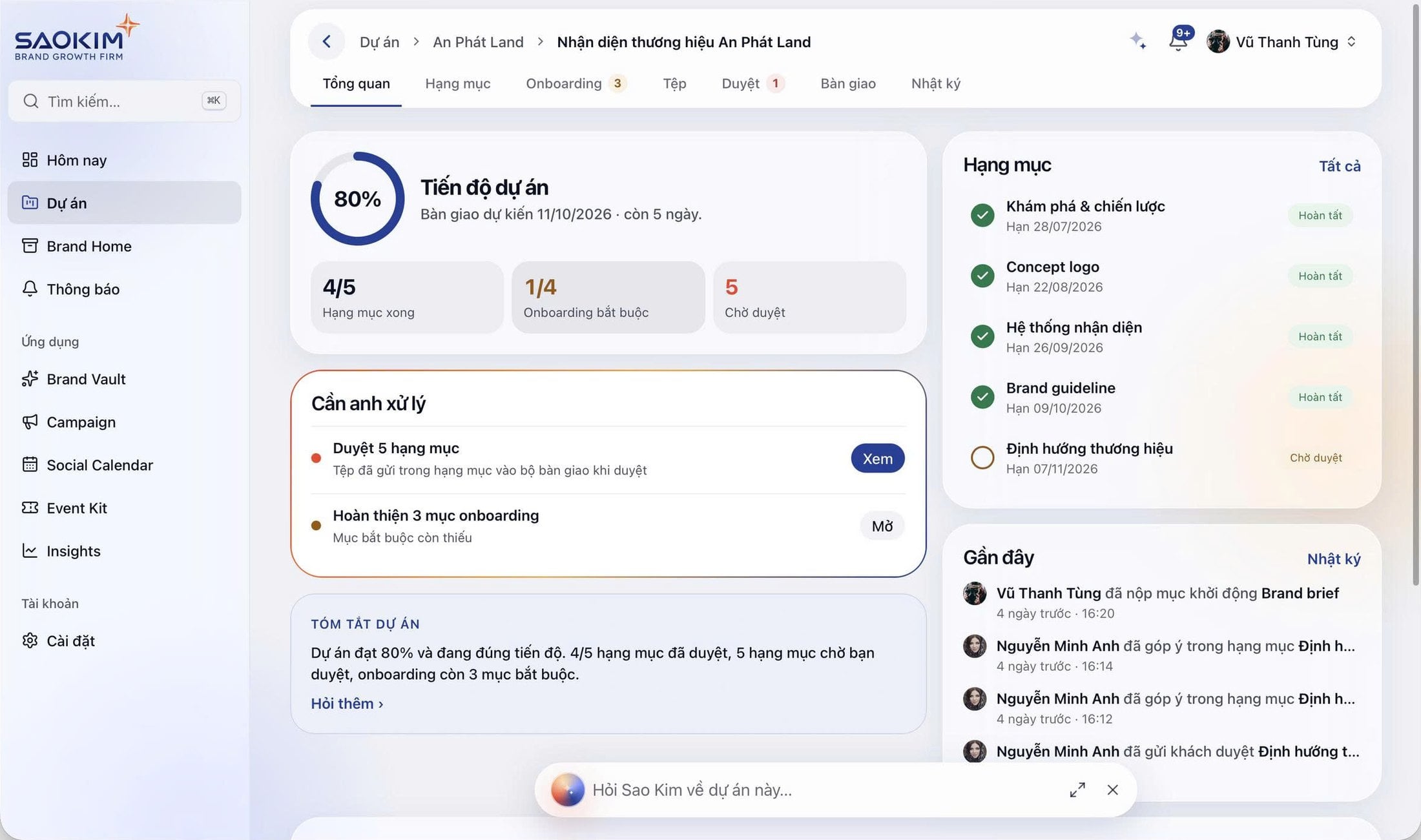
Real OnFirm interface. Workspace shown is configured for a branding firm, in Vietnamese.
- One Flow
- One Data Spine
- One Management View
- One AI Layer
- Sales
- Contracts
- Projects
- Finance
- Clients
- People
- AI
The fragmented firm
Your firm has software.
It still doesn't have an operating system.
CRM knows the deal. Project software knows the work. Finance knows the invoice. Spreadsheets fill the gaps. But no system understands the whole business.
Before
Each tool works. The firm doesn't.
- CRMknows the deal
- Spreadsheetsknows the gaps
- Emailknows the thread
- Financeknows the invoice
- Project toolsknows the work
- Documentsknows the contract
- HRknows the people
- Chatknows the decision
After
One connected operating flow.
- 01Clientcontext starts
- 02Opportunitycontext carried
- 03Contractcontext carried
- 04Projectcontext carried
- 05Invoicecontext carried
- 06Margincontext carried
Stop running the company between disconnected tools.
- Fragmented customer information
- Repeated data entry
- Manual handoffs
- Missed follow-ups
- Unclear project profitability
- Delayed billing and collection
- Poor resource visibility
- Multiple versions of the truth
- AI without reliable company context
The operating model
One firm. One flow.
Information should move with the business. OnFirm connects each operating stage so teams don't have to recreate context every time work changes hands.
- 1MarketingDemand
- 2SalesPipeline
- 3ContractCommitment
- 4DeliveryExecution
- 5FinanceCash & margin
- 6CustomerRelationship
- 7GrowthExpansion
People
Who does the work, at what capacity and costData
One spine of clients, contracts, projects and moneyAutomation
Handoffs that move work to the next stageAI
Context-aware assistance across every stageManagement Intelligence
One view of commercial, delivery and financial health
Operating stages
- 1MarketingDemand
- 2SalesPipeline
- 3ContractCommitment
- 4DeliveryExecution
- 5FinanceCash & margin
- 6CustomerRelationship
- 7GrowthExpansion
Running across every stage
People
Who does the work, at what capacity and cost
Data
One spine of clients, contracts, projects and money
Automation
Handoffs that move work to the next stage
AI
Context-aware assistance across every stage
Management Intelligence
One view of commercial, delivery and financial health
Lead-to-Cash
From first conversation to collected revenue.
One commercial lifecycle, owned by different teams, tracked as a single chain. Every step inherits what came before it.
- Sales01
Lead
- 02
Opportunity
- 03
Proposal
- Contracting04
Contract
- Delivery05
Project
- 06
Milestone
- Finance07
Invoice
- 08
Payment
Then: revenue recognized, margin known, next opportunity opened on the same client record.
No duplicate entry
Data moves forward with the workflow. What sales captured is what the contract, project and invoice start from.
No lost handoff
The next team starts with context already available, instead of a forwarded email and a meeting to explain it.
No broken commercial visibility
Sales, delivery and finance stay connected, so leadership sees signed, delivered, billed and collected in one line.
Platform
Everything your firm needs to operate as one.
Six operating areas on one data spine. Use them together, or connect the ones you already run elsewhere.
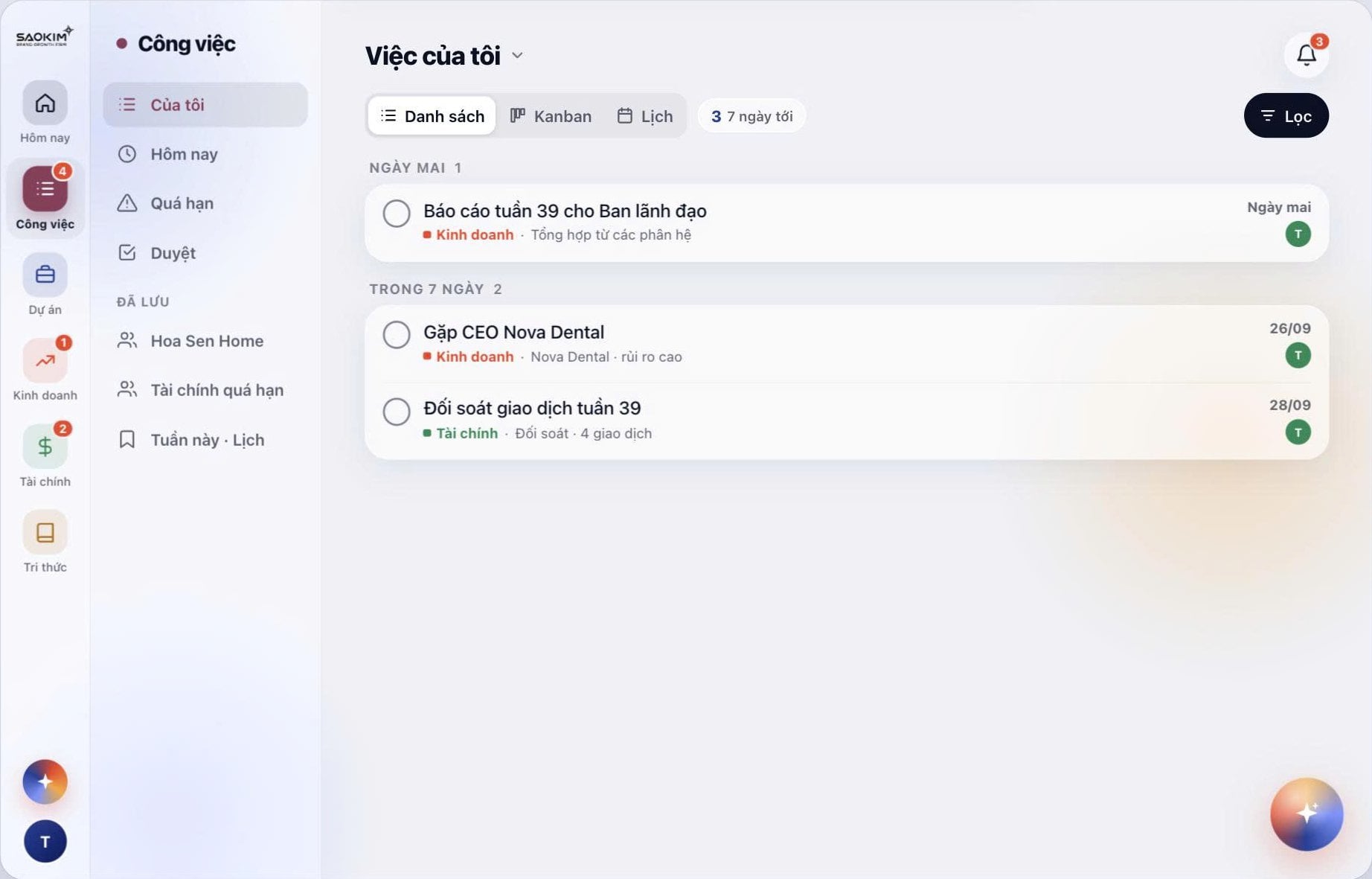
Projects & Delivery
Deliver consistently without losing commercial context.
- Projects
- Project templates
- Milestones
- Tasks
- Deliverables
- Deadlines
- +5 more
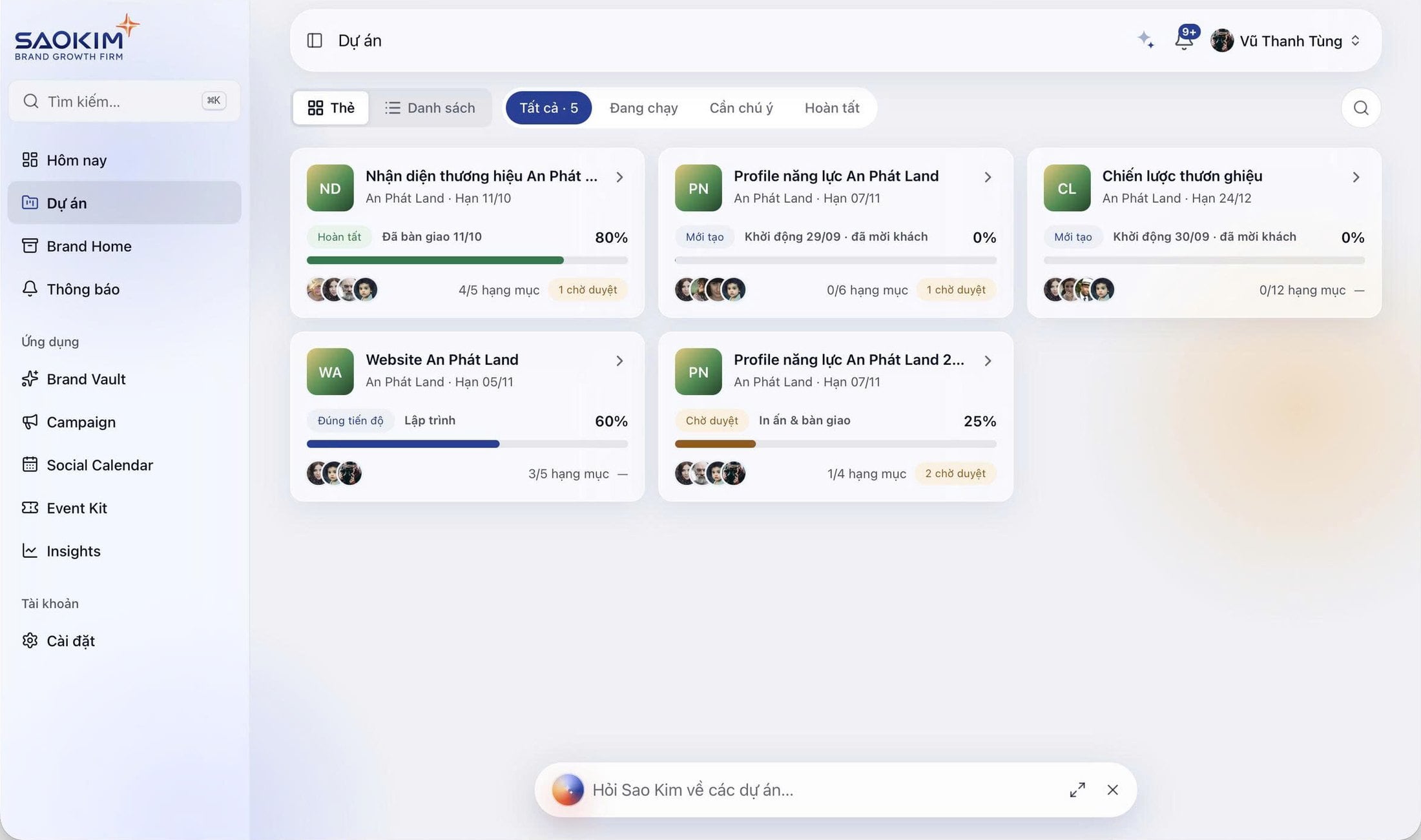
Management Intelligence
See the company as one business.
- Pipeline
- Signed revenue
- Forecast
- Active projects
- Project health
- Revenue
- +5 more
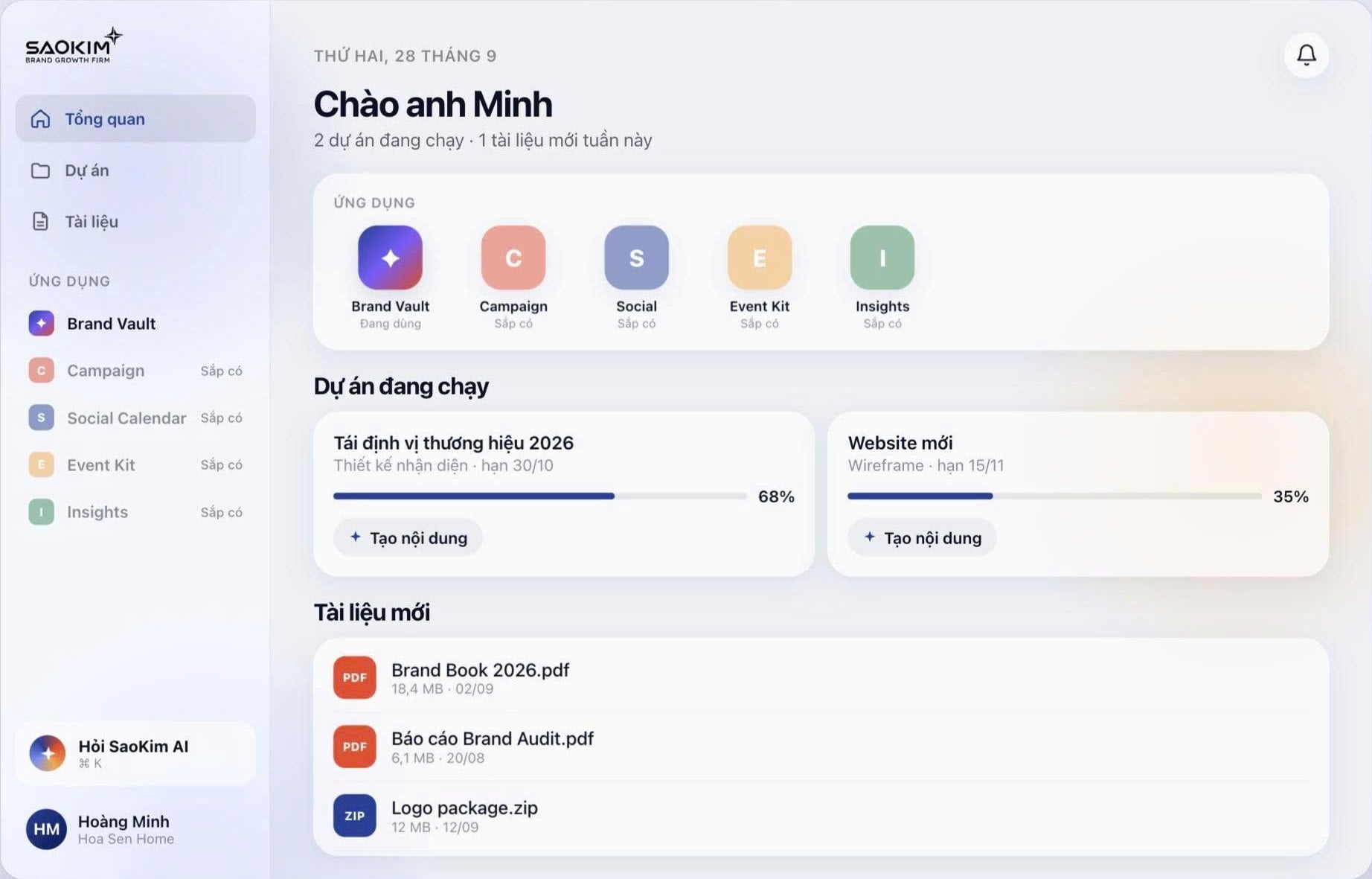
Client 360
Every client. One complete picture.
See the entire relationship instead of reconstructing it from CRM records, project tools, finance reports and shared folders.
Client ≠ Deal
A deal closes. A client relationship compounds. OnFirm keeps every engagement, invoice and conversation on the same long-term record.
One client record connects
- Legal Entities
- Contacts
- Opportunities
- Contracts
- Projects
- Milestones
- Invoices
- Payments
- Documents
- Revenue
- Profitability
- Relationship History
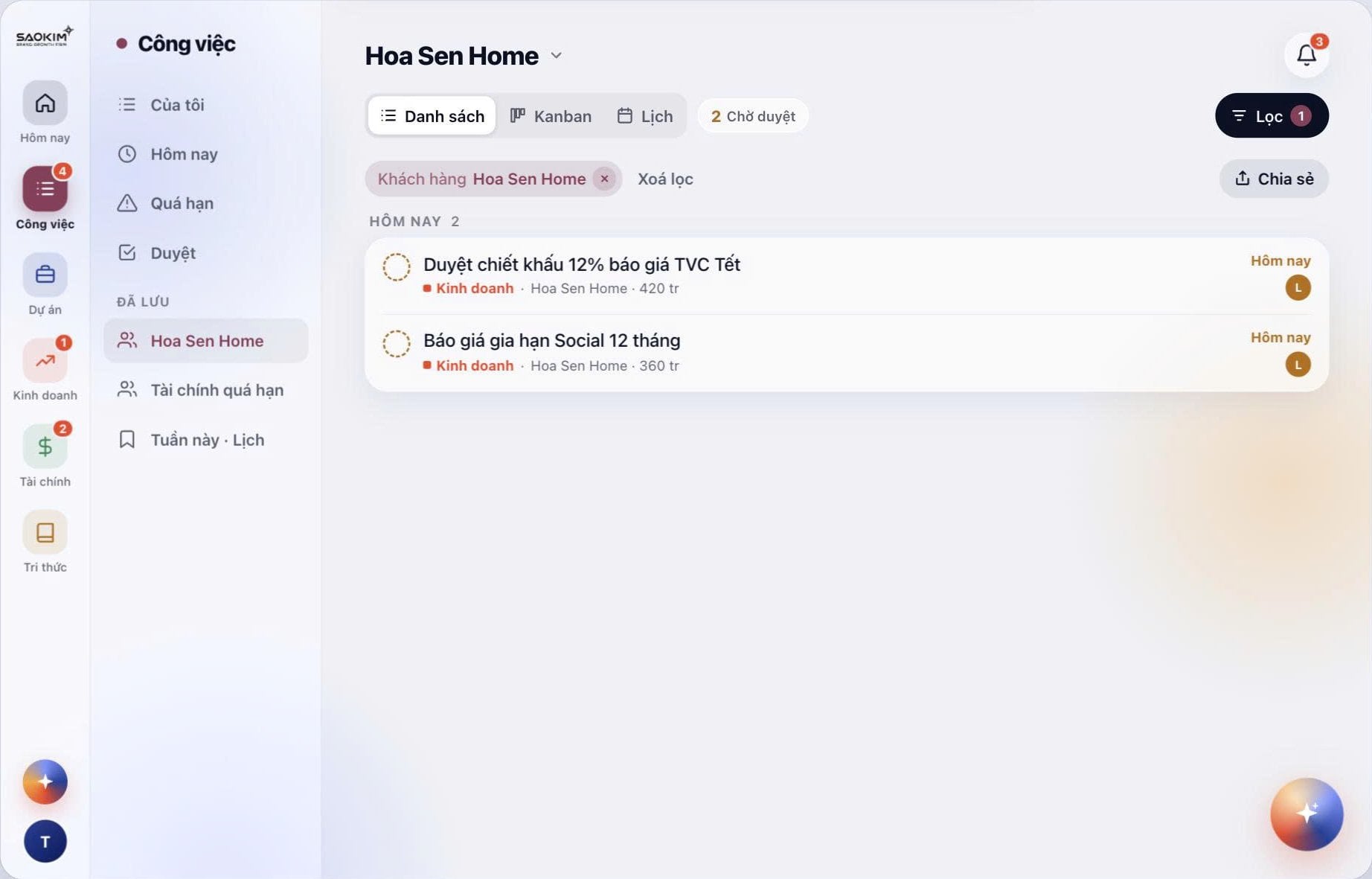
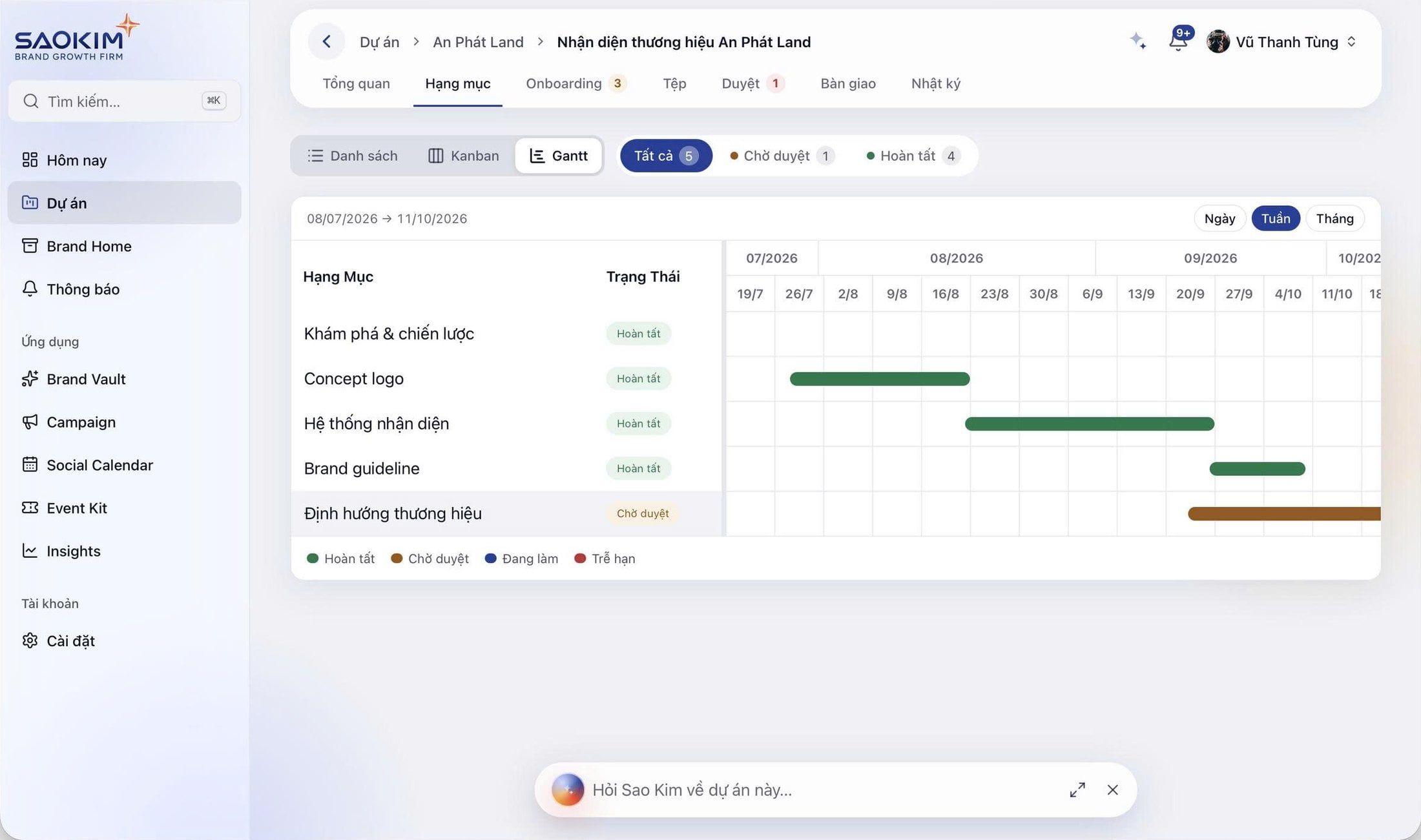
Projects & Delivery · Project 360
Know exactly where every engagement stands.
Delivery performance should not live separately from commercial and financial performance.
- Client
- Contract
- Project
- Milestones
- Team
- Deliverables
- Billing
- Collection
- Cost
- Margin
Every engagement, one board
Status, deadline, progress and pending approvals for each client engagement.
One project, fully in context
Progress, deliverables, approvals waiting on you, recent activity and an AI summary.
Milestones on a timeline
Deliverables plotted by week with completed, pending and late states.
Finance & Profitability · People & Capacity
Cash, margin and capacity, while the work is happening.
Not at month end. Billing follows delivery, cost follows people, and margin is visible on every engagement as it runs.
Finance & Profitability
Know whether work creates cash and margin while it is happening.
Engagement billing
Contract → billing schedule
| Milestone | Accepted | Invoiced | Collected |
|---|---|---|---|
| Milestone 1 | Done | Done | Done |
| Milestone 2 | Done | Done | In progress |
| Milestone 3 | In progress | Not started | Not started |
Accounts receivable
follows invoices
Cash
follows collection
Project margin
revenue minus cost
Billing milestones · Invoice tracking · AR · Collection · Cost · Cashflow · Project profitability · Forecast · Management P&L
People & Capacity
Connect people to delivery, cost and performance.
- 1Person
- 2Role
- 3Team
- 4Capacity
- 5Allocation
- 6Project
- 7Cost
- 8Margin
Employee records · Teams · Roles · Utilization · Productivity · Recruitment · Attendance · Approval
Management Intelligence
See the firm as one business.
Stop managing commercial, delivery and financial performance through separate reports.
Commercial
- Pipeline
- Forecast
- Signed sales
Delivery
- Active projects
- Project health
- Milestones
- Capacity
Finance
- Revenue
- Collection
- AR
- Cash
- Margin
All three lenses read from the same records, so the numbers leadership discusses already agree with each other.
AI Copilot
AI that understands how your firm operates.
Generic AI
Knows information.
Answers from what you paste into it. Forgets the client, the contract and the deadline.
OnFirm AI
Understands operating context.
Works from the connected records of your firm: clients, pipeline, projects, milestones, invoices and people.
Ask the questions leaders actually ask.
- Which deals are most likely to close this month?
- Which projects need management attention?
- Which invoices are overdue?
- Where is margin under pressure?
- Which teams are approaching capacity?
- What should leadership focus on this week?
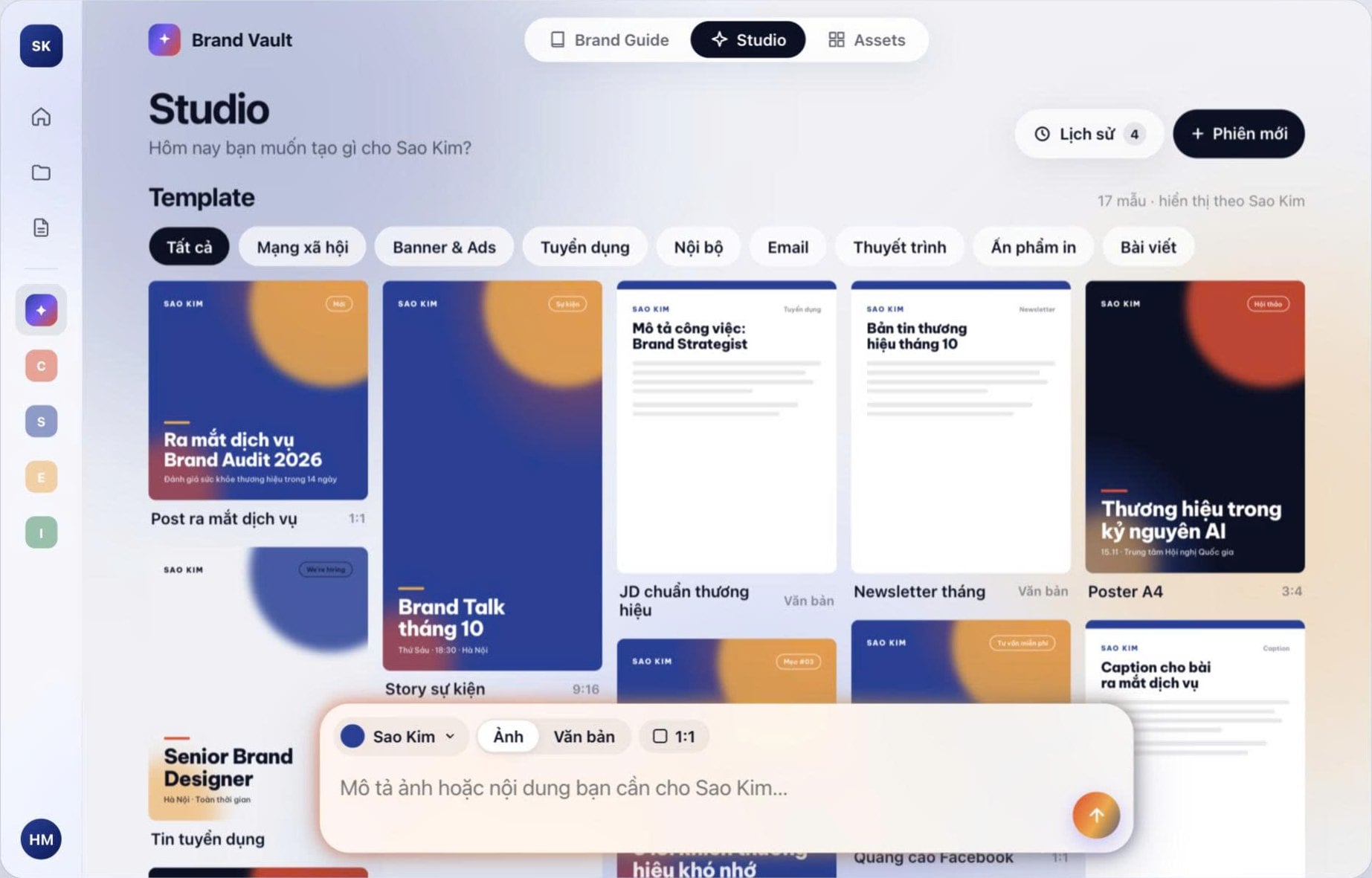
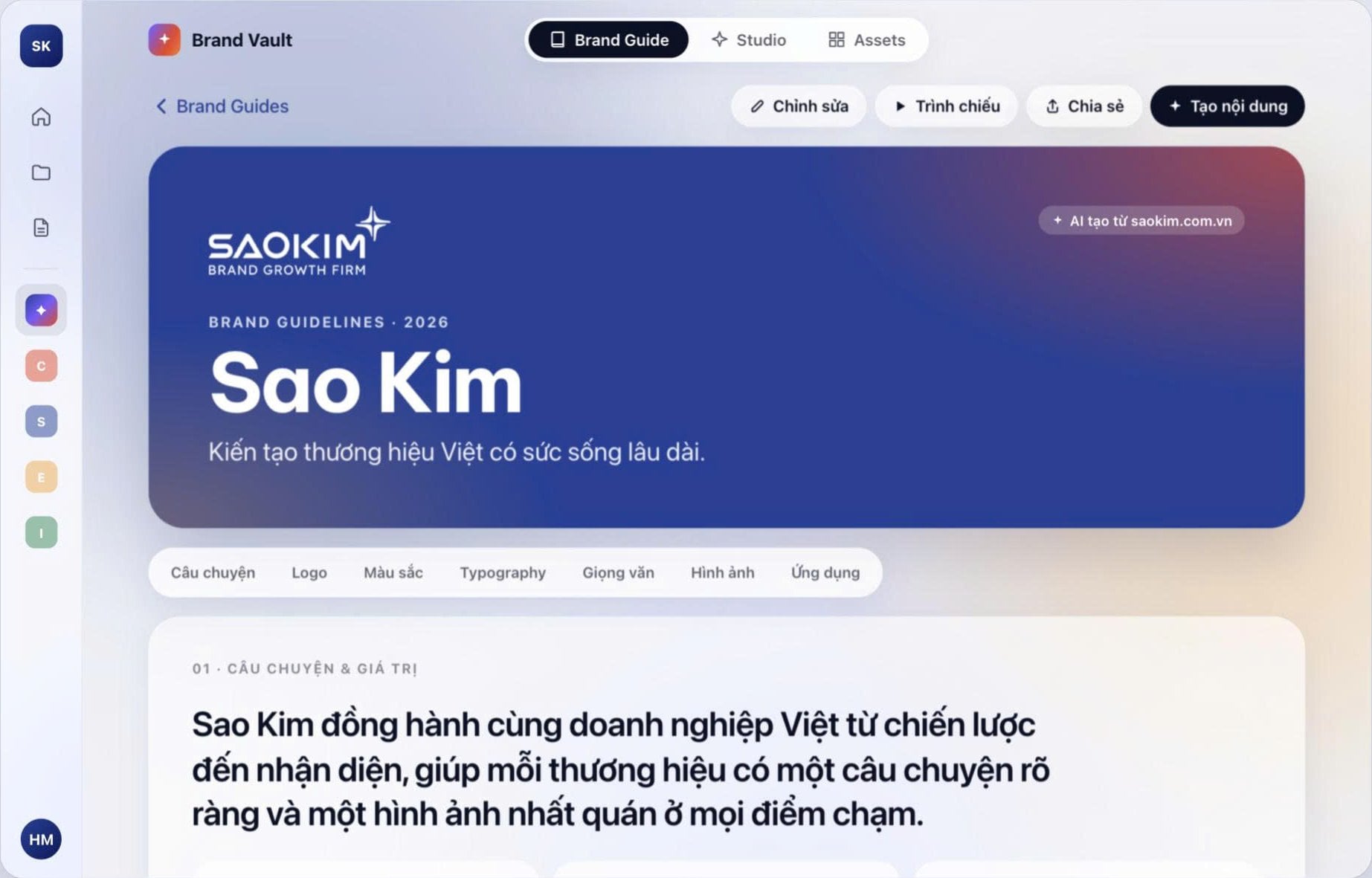
An operating copilot, not a chatbot.
OnFirm AI summarizes, flags and recommends within the data each person is authorized to see. People stay accountable for the decisions.
See OnFirm AI in a demo- Contextual search
- Business summaries
- Risk detection
- Meeting preparation
- Next-action recommendations
- Forecasting support
- Operational Q&A
- Workflow assistance
- Repetitive task automation
Automation
Work should move itself forward.
OnFirm runs on business events. When something changes state, the next step is created, assigned and tracked, with the context attached.
Automate the handoff, not the judgment.
- WhenOpportunity WonThenCreate Contract Request
Contract owner reviews terms
- WhenContract SignedThenCreate Project
Project lead confirms team
- WhenMilestone AcceptedThenTrigger Billing
Finance approves invoice
- WhenInvoice DueThenStart Collection Workflow
Account owner follows up
- WhenProject Risk DetectedThenSend Management Alert
Leadership decides action
Integrations
Connect what your firm already uses.
OnFirm is designed to orchestrate your operating stack, not force you to replace everything on day one.
- CRM
- Accounting
- Calendar
- Documents
Operating layer
- API
- Webhooks
- Productivity
- Project tools
- HR systems
- Automation platforms
- Your existing systems
Integration-ready by category, through API and webhooks. Specific connectors for your stack are confirmed during your demo.
Why OnFirm
Stop adding software. Start building an operating system.
- 01
One Flow
The business process continues across teams. Sales hands to contracting, contracting to delivery, delivery to finance, without starting over.
- 02
One Data Spine
Core information stays connected. Client, contract, project, invoice and person are linked records, not copies.
- 03
One Management View
Leadership sees the entire business: pipeline, delivery health, cash and margin, from the same source.
- 04
One AI Layer
AI has the context required to become useful, because the operating data underneath it is already connected.
Solutions
Built for firms whose work is their business.
Management and strategy consulting, branding, creative, marketing and digital agencies, technology and IT services, architecture and engineering consulting, accounting, advisory and research firms.
Not designed to be
- A manufacturing ERP
- A retail POS platform
- An accounting replacement
- A simple project task app
OnFirm is optimized around the commercial and operational lifecycle of knowledge-based and professional services businesses.
- 01
Consulting Firms
Manage opportunities, engagements, delivery and profitability.
- 02
Agencies
Connect pipeline, contracts, projects, resources and margin.
- 03
Technology Services
Coordinate sales, delivery, capacity and billing.
- 04
Advisory Firms
Build a complete operating view across clients and engagements.
- 05
Project-based SMEs
Replace fragmented operating processes with a connected system.
How OnFirm works
Adopt it in three moves.
Start from the firm you have. Connect first, standardize what matters, then run the business on it.
- 01
Connect
Connect your existing clients, commercial data and operating tools.
- 02
Standardize
Create shared workflows, data structure and operating rules.
- 03
Operate
Run day-to-day work with connected processes, visibility, automation and AI.
Data principles
Your operating data deserves operating discipline.
The principles OnFirm is built around. We walk through current security practices in detail during evaluation.
Structured permissions
Access follows roles and responsibilities, not shared logins.
Clear data ownership
Every client, contract and project record has an accountable owner.
Controlled integrations
Connections to other systems are explicit and reviewable.
Auditable workflows
Approvals and state changes leave a trail you can review.
Role-based visibility
People see the commercial and financial data their role requires.
Intentional AI boundaries
AI works within the context each user is authorized to access.
Resources · FAQ
Questions firms ask before they evaluate.
Short answers. The demo covers your specific stack and operating model.
OnFirm is an AI Operating System designed to connect the commercial, delivery, financial and management workflows of professional services firms.
Not in the traditional sense. OnFirm focuses on the operating lifecycle of professional services and can connect existing specialist systems rather than forcing companies to replace everything.
It can manage CRM workflows directly or work alongside an existing CRM, depending on your operating architecture. We map this with you during the demo.
Yes. Project and delivery management is part of the operating flow, connecting contracts, milestones, resources, billing and profitability.
One connected view of a client relationship across contacts, opportunities, contracts, projects, financial activity and relevant documents.
AI works across authorized business context to summarize information, identify risks, answer operational questions and support workflows. People stay responsible for decisions.
Primarily professional services firms such as consulting, agencies, technology services and other knowledge-based, project-based businesses.
OnFirm is designed around open integrations, APIs, webhooks and automation, so existing applications can remain part of your operating architecture. Specific connectors are confirmed for your stack during the demo.
Pricing depends on your operating scope, users and implementation needs. Book a demo to discuss the right setup for your firm.
Book a Demo
Your firm already has tools. Now give it an operating system.
Connect clients, sales, contracts, delivery, finance, people and AI into one operating flow.
- A walkthrough of OnFirm on your operating model
- Lead-to-Cash, Client 360 and Project 360 in practice
- How OnFirm fits with the tools you already run